
What Is Church Management Software?
Church management software (often shortened to ChMS) is a purpose-built system for running the operational side of a church - keeping member records accurate, tracking who attended which service, organizing volunteers and departments into teams, and giving leadership a single, current picture of the congregation instead of a patchwork of spreadsheets, paper registers, and group chats.
Most churches start with what's free and familiar - a shared spreadsheet, a notebook at the welcome desk, a WhatsApp group for each unit. That works until the church grows past a handful of families. Past that point, records go stale, the same member gets entered twice under two different spellings, nobody can say with confidence how many people actually attend on a given Sunday, and follow-up on first-time visitors quietly stops happening because no one owns it.
What to Look for in a ChMS
The features worth prioritizing are the ones that remove friction from a real Sunday, not the ones that look impressive in a demo: a member database that's fast to search and easy to keep clean, attendance tracking that takes seconds per service rather than minutes, role-based access so volunteers only see what's relevant to their team, and a record of who changed what and when - so leadership isn't left guessing when something looks off.
Why Accountability Matters
Church administration runs on trust between leadership, department heads, and the congregation - which is exactly why an auditable trail of who did what matters more here than in a typical business tool. Church Workflow's role-based permissions and activity log exist for that reason: a pastor or admin can see what changed in the member database, who added a new team lead, or who updated a service record, without having to ask around or take anyone's word for it.

The ChallengesChurches Face

These challenges slow down church operations and increase the workload
on leaders and administrators.

Scattered Records
Information spread across books, spreadsheets, and different tools.

Sensitive Data Risks
Approvals and records handled without proper structure or security.

Delays & Confusion
Tasks, requests, and notifications often get missed or delayed.
How Church Workflow Works
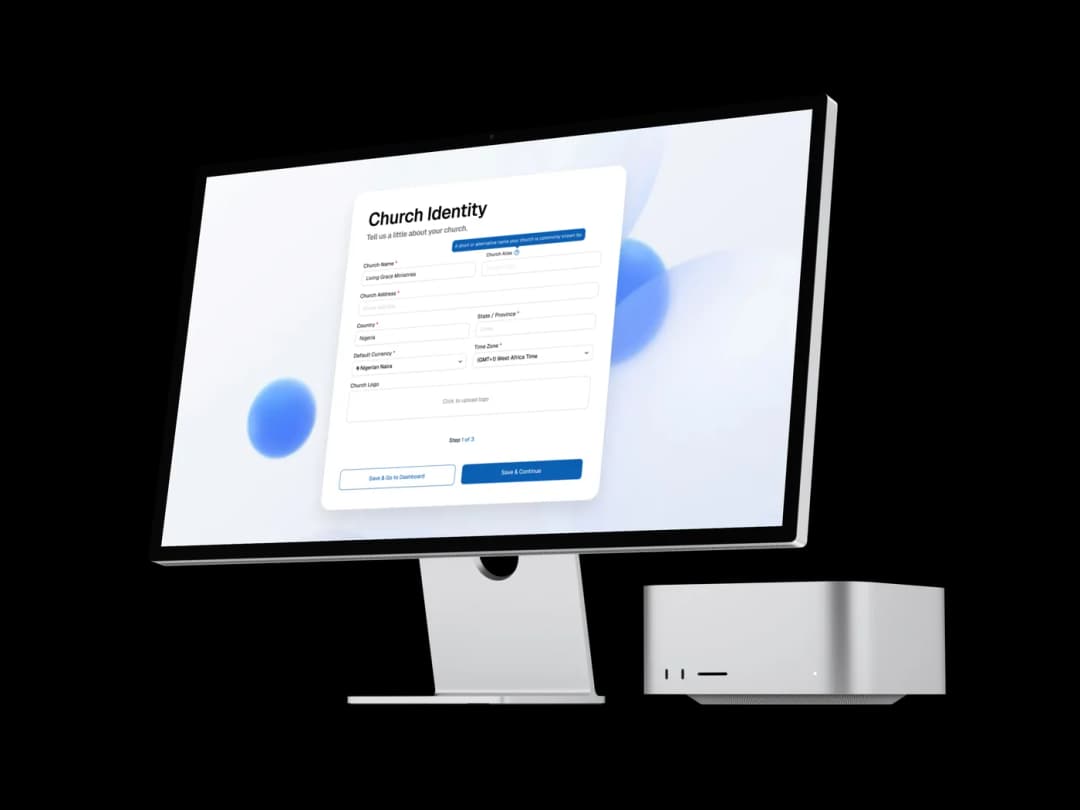
STEP ONE
Set Up Your Church
Create your church profile, configure roles, and onboard administrators in minutes. Define permissions, assign responsibilities, and prepare your system for smooth operations from day one.
STEP TWO
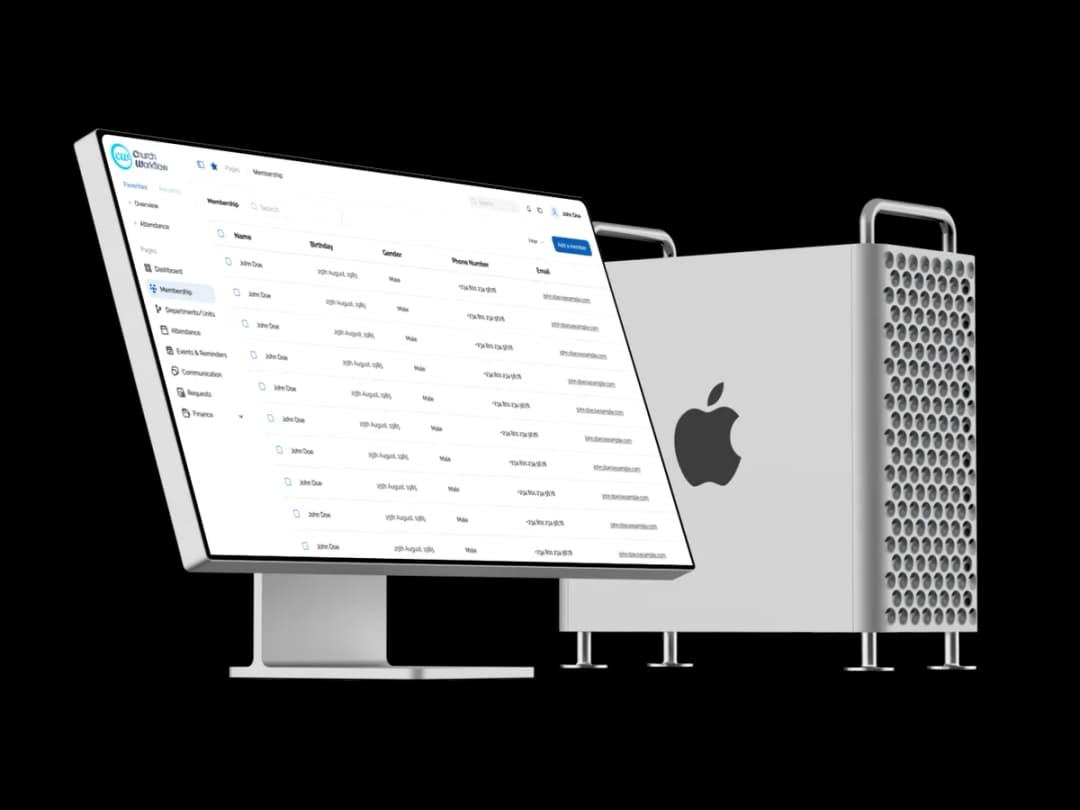
Add Members &
Departments
Upload or manually add members, church workers, branches, and departments. Organize records, track roles, and centralize information in one structured platform.
STEP THREE
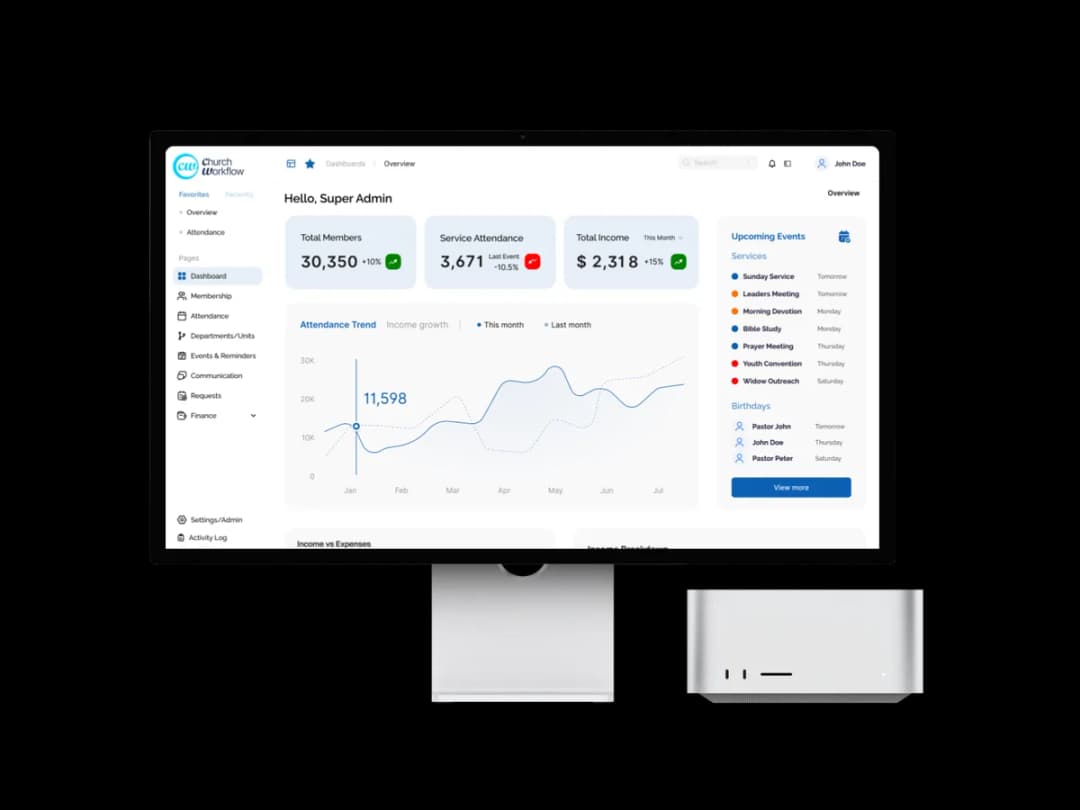
Manage & Grow
Track attendance, offerings, tasks, and departmental activities from a single dashboard. Generate reports, monitor progress, and make informed decisions that support church growth.

Focus More on Ministry.
Less on Administration.
Save Time & Reduce Manual Work
Church Workflow automates repetitive administrative processes such as member tracking, attendance logging, and task delegation. By centralizing operations, church leaders and administrators spend less time on paperwork and more time on ministry impact.
Improve Coordination Across Departments
Keep pastors, workers, media teams, finance units, and department heads aligned within one unified system. Clear task assignments, reminders, and structured communication eliminate confusion and improve teamwork.
Enhance Record Accuracy & Transparency
Maintain up-to-date member records, financial entries, attendance logs, and departmental data. Structured data improves reporting accuracy and ensures accountability across the organization.
Make Data-Driven Decisions
Access real-time insights through dashboards and reports. Church leaders can evaluate performance, monitor growth trends, and make informed strategic decisions confidently.
Strengthen Data Security & Role Control
Sensitive church information is protected with role-based access controls and structured permissions. Only authorized users can access specific data, reducing privacy risks.
Built Specifically for
Church Administration
Secure & Role-Based Access
Control who does what. Protect sensitive church data with structured permissions.
Multi-Branch Ready
Whether you're onboarding 100 or 1,000+ members, Church Workflow grows with you.
Scalable for Growth
Whether you're onboarding 100 or 1,000+ members, Church Workflow grows with you.
Structured & Reliable
Designed to reduce confusion, eliminate duplication, and improve operational clarity.


Flexible Plans for Every Church
Choose a plan that fits your church size and administrative needs.
Starter
Small teams
Membership management
Up to 3 users
Up to 100 members
Attendance tracking
Growth
Everything in Starter
Up to 10 users
Up to 500 members
Custom roles & permissions
Expansion
Everything in Growth
Up to 25 users
Up to 1,500 members
Enterprise
Everything in Expansion
Priority support
Unlimited users
Advanced controls
Unlimited members
.webp&w=1080&q=75)
Frequently Asked Questions
Everything you need to know about Church Workflow.